How do I edit an event?
Print
Modified on: Thu, 28 Mar, 2019 at 12:57 PM
- Click Planning>Weekly Planner from the menu bar at the top of the page.
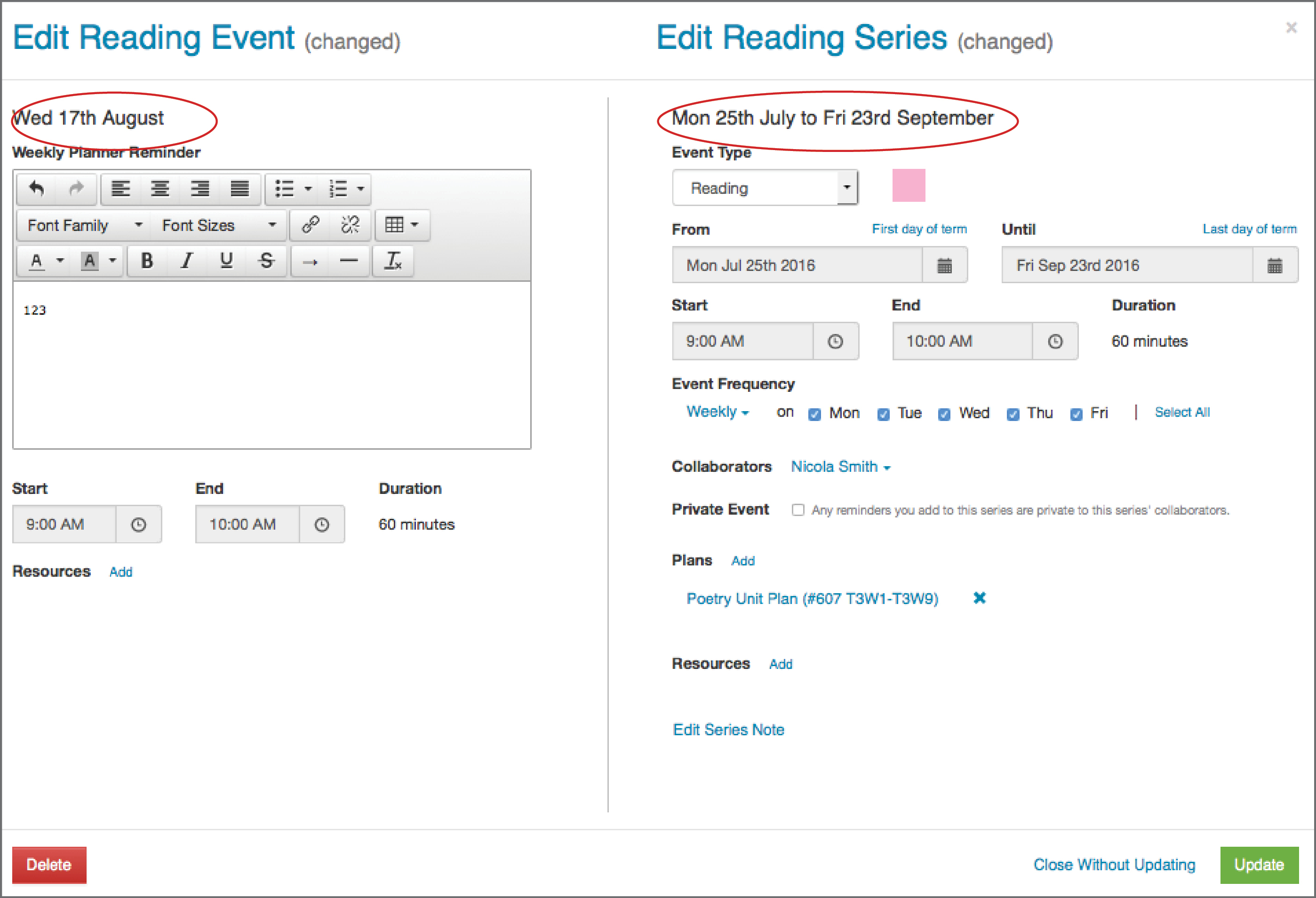
- Click on the event you wish to edit, which opens the Edit Event pop-up.
- To change details for just the Event (Wed 17th August) change the detail on the left side of the popup.
- To change details for the Series (Mon 25 July to Fri 23rd September) change the detail on the right side of the popup.
- Select Update to save your changes.
Did you find it helpful?
Yes
No
Send feedback Sorry we couldn't be helpful. Help us improve this article with your feedback.
